AI poster guide
AI Event Flyer & Poster Maker
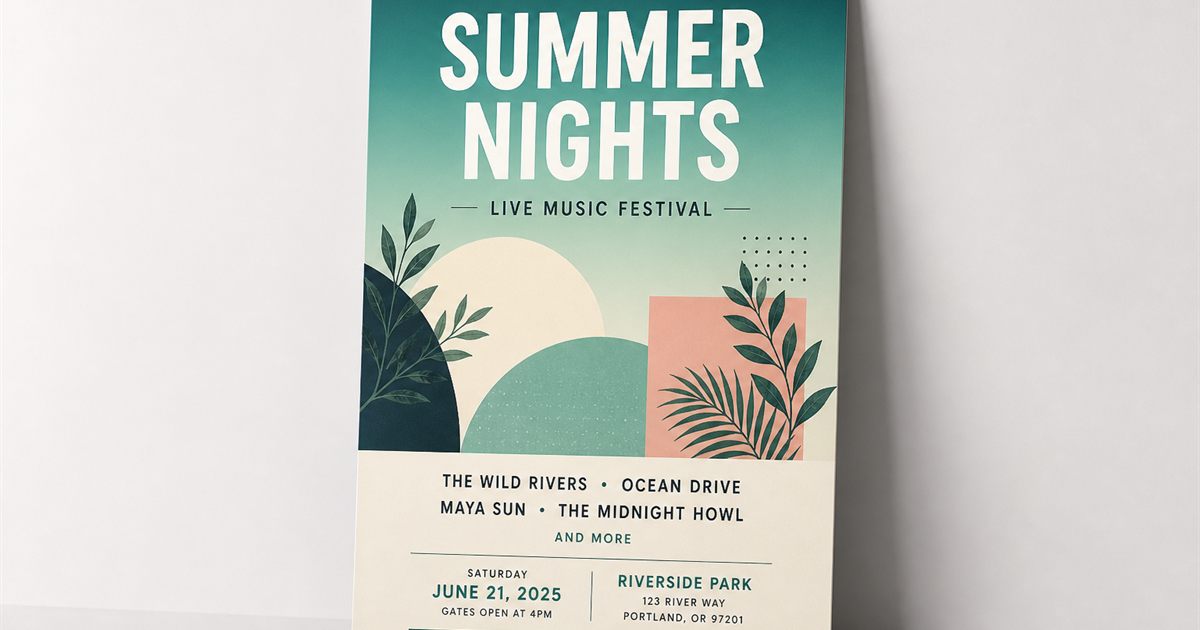
Need an event flyer AI for a launch night, meetup, or conference? Describe the vibe, pick a template, and refine dates, venue, and CTA text in Studio.
Popular use cases
- Club nights, DJ sets, and ticketed events
- Corporate webinars and leadership summits
- Community markets, open houses, and workshops
- University and nonprofit fundraisers
Styles that work well
- Neon nightlife
- Corporate clean
- Festive outdoor
- Minimal promo
Sample prompts
Copy a prompt into Studio, or open a related template to start faster.
Nightclub event
Vibrant nightlife event poster, neon accents, cinematic mood, space for headline and door time, European club aesthetic
Use this Prompt in Studio →Workshop flyer
Clean workshop event flyer, friendly professional design, clear hierarchy for date location and RSVP, soft daylight photography style
Use this Prompt in Studio →
How it works
- 1
Enter Your Concept
Type a detailed prompt describing your poster idea, key subjects, colors, or mood.
- 2
Choose Your Style
Select from our pre-set artistic styles (e.g., Movie Poster, Retro, Japanese Anime, Minimalist).
- 3
Generate & Download
Click "Generate", preview your customized AI poster, and export in high resolution.
Start from a template
FAQ
- What’s the difference between an event flyer and a poster?
- Flyers are often smaller or digital-first; posters are larger print or social hero sizes. AIPosterly supports multiple poster sizes so you can adapt one design for both.
- Can I edit dates and venue after AI generation?
- Yes. AI generates the visual starting point; you edit headlines, subheads, and layers in the browser editor before export.